




Why Standing Desk Frames Matter

A standing desk is more than a tabletop that moves up and down. The desk frame underneath it determines how stable the workstation feels, how much equipment it can support, how quietly it operates and whether it can reach a comfortable working height.
For people building a custom desk or upgrading an existing workstation, choosing the right standing desk frame is therefore one of the most important decisions.
This guide explains how electric desk frames work, which specifications matter and how to choose a suitable height-adjustable desk frame for an Australian home office or commercial workspace.
What Is a Standing Desk Frame?
A standing desk frame is the supporting structure beneath a desk tabletop. It usually includes:
- The desk legs
- Cross supports
- Feet
- One or more electric motors
- A height controller
- A control box
- Cables and mounting hardware
With a traditional fixed desk, the frame holds the tabletop at one permanent height. An electric standing desk frame allows the tabletop to move between sitting and standing positions.
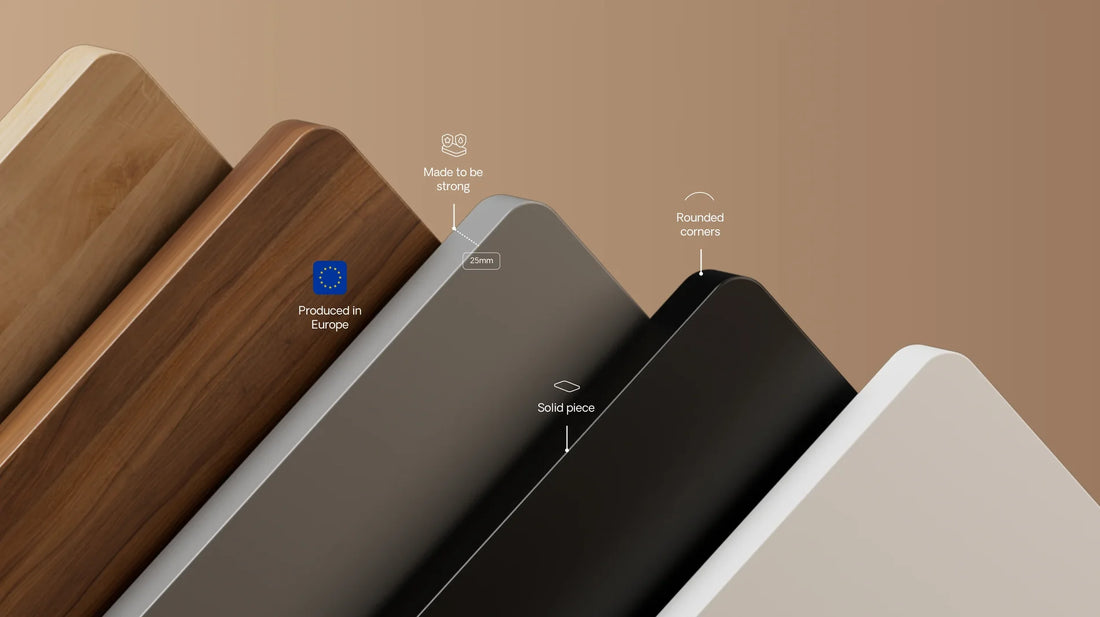
Some frames are sold separately from the tabletop. This gives you the flexibility to choose your preferred tabletop size, colour, material and finish.
A frame-only option can be particularly useful when you:
- Already own a suitable tabletop
- Want to build a custom standing desk
- Need a larger or smaller work surface
- Want to replace an old fixed-height desk base
- Prefer a specific timber or laminate finish
Why the Desk Frame Matters
The frame is the structural and mechanical foundation of a height-adjustable desk.
A high-quality frame can improve the overall experience in several ways.
Stability
A stable frame helps reduce monitor shake, tabletop movement and wobbling when typing.
Stability becomes especially important when the desk is raised to standing height because the centre of gravity is higher. The construction of the legs, feet and cross supports all contribute to how steady the desk feels.
Height Adjustment
The frame determines the desk's minimum and maximum height.
A wider adjustment range makes it easier to achieve an ergonomic position for different users. It is also valuable in shared offices, family workspaces and hot-desking environments where several people may use the same workstation.
Weight Capacity
The lifting capacity determines how much weight the frame can safely raise and support.
Your total setup may include:
- The tabletop
- One or more monitors
- Monitor arms
- A desktop computer
- Speakers
- Office equipment
- Storage accessories
- Other desk-mounted devices
The stated load capacity should cover the combined weight of the tabletop and everything placed on it.
Motor Performance
The motor system affects lifting speed, noise, balance and long-term performance.
Single-motor frames are often suitable for standard home-office setups. Dual-motor frames generally provide greater lifting power and are better suited to larger tabletops, multiple monitors or heavier equipment.
Long-Term Reliability
The desk frame contains the moving and electronic components of a standing desk. Its material quality, motor design, controller and warranty are therefore important indicators of long-term value.
Fixed Desk Frame vs Height-Adjustable Desk Frame
Both fixed and adjustable desk frames can be appropriate depending on how the workspace is used.
Fixed Desk Frames
A fixed frame may be suitable when:
- The desk is only used by one person
- The existing desk height is already comfortable
- The workspace is used occasionally
- Budget is the main priority
- No sit-stand function is required
The main limitation is that the working height cannot be changed. A fixed desk that is too high or too low may lead users to compensate by raising their shoulders, reaching forward or sitting in an unsuitable position.
Height-Adjustable Desk Frames
An electric height-adjustable frame allows users to alternate between sitting and standing.
It may be more suitable when:
- The desk is used for long working periods
- Several people share the workstation
- You want more control over desk height
- You use different working positions throughout the day
- You are building a flexible home or commercial office
A standing desk should not be viewed as a requirement to stand all day. Its main advantage is the ability to change position and adjust the workstation to suit the task and user.
Seven Features to Compare When Choosing a Standing Desk Frame
1. Height Range
Always check both the minimum and maximum frame height.
The correct sitting position usually allows the elbows to remain close to the body while the forearms rest approximately parallel to the floor. When standing, the desk should reach a similar elbow-level position without causing the shoulders to lift.
Shorter users may need a frame with a lower minimum height, while taller users should pay close attention to the maximum height.
Remember that the finished desk height also includes the thickness of the tabletop.
For example, adding a 25mm tabletop raises the final working surface approximately 25mm above the listed frame height.
2. Tabletop Compatibility
Not every frame fits every tabletop.
Before purchasing, check the recommended:
- Minimum tabletop length
- Maximum tabletop length
- Minimum tabletop depth
- Maximum tabletop depth
- Tabletop thickness
- Mounting requirements
An oversized tabletop can create excessive overhang and reduce stability. A tabletop that is too small may not provide enough space for secure mounting.
The tabletop material also matters. Solid timber, bamboo, laminate and engineered wood all have different weights and fixing requirements.
3. Weight Capacity
Do not select a frame based only on the weight of your computer equipment.
The stated lifting capacity must also include the tabletop itself.
For example, a large solid-timber tabletop may weigh significantly more than a compact laminate top. Add the weight of monitors, monitor arms, a desktop computer and accessories before comparing desk frames.
It is sensible to leave some capacity in reserve rather than operating the frame continuously at its maximum rated load.
4. Single Motor or Dual Motor
A single-motor frame uses one motor to drive the height-adjustment system.
It can be a practical choice for:
- Compact desks
- Home offices
- Laptop workstations
- Standard dual-monitor setups
- Users who adjust the desk occasionally
A dual-motor frame typically places one motor in each leg.
It is generally better suited to:
- Larger tabletops
- Multiple-monitor workstations
- Heavy desktop computers
- Commercial offices
- Frequent height changes
- Users seeking faster lifting and higher capacity
Motor count alone does not determine quality, but it is an important part of the overall performance.
5. Leg Construction
Standing desk frames commonly use two-stage or three-stage lifting columns.
A two-stage frame usually has a more compact adjustment range and can be suitable for standard users and home-office setups.
A three-stage frame generally offers a wider height range, allowing the desk to move lower and higher. This can make it more suitable for shared workstations and users at different heights.
Leg shape also affects appearance. Square and rectangular columns provide a clean, conventional look, while oval columns can create a softer and more contemporary profile.
The quality of the steel, internal tolerances and frame geometry are more important than shape alone.
6. Controller and Memory Presets
A basic standing desk controller may only include up and down buttons.
More advanced controllers can include:
- Digital height display
- Sitting and standing memory presets
- Minimum and maximum height limits
- Child-lock functions
- Movement reminders
- USB or Type-C charging
- Adjustable anti-collision sensitivity
Memory presets are particularly useful because they allow users to return to their preferred sitting or standing height without making repeated manual adjustments.
7. Anti-Collision Protection
Anti-collision technology helps detect resistance while the desk is moving.
If the frame encounters an obstacle, the system may stop or reverse the desk to reduce the risk of damage.
This can be helpful when there are:
- Filing cabinets under the desk
- Window ledges above the desk
- Chairs or storage boxes nearby
- Children or pets in the workspace
- Cables that may become caught
Anti-collision protection should be treated as an additional safety feature, not as a substitute for keeping the area around the desk clear.
How Much Weight Capacity Do You Need?
The required capacity depends on the complete workstation.
A light setup may include:
- A laptop
- One monitor
- A keyboard and mouse
- A compact laminate tabletop
A heavier setup may include:
- Two or three monitors
- Multiple monitor arms
- A desktop computer
- Speakers
- A large timber tabletop
- Recording or design equipment
For a conventional home office, a well-built frame with a substantial load rating will usually provide enough capacity. Creative studios, gaming setups and commercial workstations may benefit from a higher-capacity dual-motor frame.
The goal is not simply to select the frame with the largest number. Choose a frame that matches the tabletop dimensions, total weight and intended use.
Choosing Between a Compact and Heavy-Duty Desk Frame
Shappa offers different frame configurations for different workspace requirements.
MS1 Electric Standing Desk Frame
The MS1 is a single-motor frame designed for compact and standard home-office setups.
It offers:
- 72–110cm frame height range
- 120kg load rating
- Compatibility with tabletops approximately 115–140cm long
- Two memory presets
- Touchscreen height controller
- Type-C charging
- Anti-collision protection
- Powder-coated steel construction
It is a practical option for users building a compact standing desk with a laptop, desktop computer or standard monitor setup.
MO2 Electric Standing Desk Frame
The MO2 is a dual-motor frame designed for larger and heavier workstations.
It offers:
- 63–125cm frame height range
- 160kg load rating
- Support for tabletops from approximately 120 × 60cm to 200 × 100cm
- Three-stage oval lifting columns
- Two memory presets
- Anti-collision protection
- Powder-coated steel construction
Its wider height range and higher lifting capacity make it more suitable for large tabletops, multi-monitor setups, shared offices and commercial workstations.
How to Measure Your Workspace Before Buying
Before ordering a standing desk frame, measure the available area carefully.
Measure the Room
Check:
- Available desk width
- Available desk depth
- Distance from walls
- Door and drawer clearance
- Nearby power points
- Window height
- Space required for the chair
Remember that the feet of the desk frame may be deeper than the tabletop.
Measure the Tabletop
Record:
- Length
- Width
- Thickness
- Approximate weight
- Material
- Existing screw holes or fittings
Do not assume that an old tabletop will automatically fit a new frame.
Check the Standing Clearance
Make sure there are no shelves, windows, cabinets or wall-mounted items that could obstruct the desk at its maximum height.
Also allow enough cable length for monitors, computers and charging equipment to move safely with the desk.
Common Standing Desk Frame Mistakes
Choosing by Price Alone
A low-cost frame may appear attractive, but the motor, controller, load rating, stability and warranty can vary considerably.
Consider how frequently the desk will be used and how expensive the equipment placed on it will be.
Ignoring the Tabletop Weight
The tabletop counts towards the maximum lifting capacity.
This is particularly important with large solid-timber surfaces.
Selecting the Wrong Height Range
A frame may have an impressive maximum height but still sit too high at its lowest position.
Both ends of the height range matter.
Using an Oversized Tabletop
A tabletop that extends too far beyond the frame can increase movement and place additional stress on the structure.
Follow the manufacturer's recommended tabletop dimensions.
Forgetting About Cables
Cables must be long enough to accommodate the desk at maximum height.
Use cable trays, clips or flexible cable sleeves to prevent cords from stretching, disconnecting or becoming trapped.
Standing for Too Long
A height-adjustable desk is designed to support movement, not continuous standing.
Alternate positions regularly and adjust the desk, monitor and chair together.
Standing Desk Assembly Checklist
Before assembly, confirm that the package contains:
- Left and right lifting columns
- Frame rails
- Desk feet
- Motor or motors
- Control box
- Height controller
- Power cable
- Mounting screws
- Tabletop screws
- Cable clips
- Assembly tools
- Instruction manual
When assembling the frame:
- Build the frame on a clean, protected surface.
- Confirm the tabletop dimensions before drilling.
- Position the frame evenly beneath the tabletop.
- Use screws that are suitable for the tabletop thickness.
- Avoid overtightening screws into engineered wood.
- Connect all motor and controller cables securely.
- Attach cables before turning the desk upright.
- Ask another person to help lift and turn the finished desk.
- Complete the controller reset or calibration procedure.
- Test the desk at a low height before raising it fully.
How to Set Up a Standing Desk Ergonomically
Once the frame is assembled, adjust the entire workstation rather than changing the desk height alone.
Sitting Position
Aim to keep:
- Feet supported by the floor or a footrest
- Knees in a comfortable position
- Shoulders relaxed
- Elbows close to the body
- Forearms approximately level with the desk
- Screen near eye level
Standing Position
Aim to keep:
- Weight balanced comfortably
- Knees relaxed rather than locked
- Shoulders down
- Elbows near the body
- Wrists in a neutral position
- Screen high enough to avoid looking down continuously
There is no single ideal schedule for every person. Start with shorter standing periods and change position when discomfort or fatigue begins.
Is a Frame-Only Standing Desk Worth It?
A frame-only standing desk can be worthwhile when you want greater control over the final workstation.
It allows you to select:
- The tabletop size
- Surface material
- Colour and finish
- Desk shape
- Edge profile
- Overall budget
It can also reduce waste if you already own a suitable tabletop.
However, a complete standing desk may be more convenient when you prefer a pre-matched frame and tabletop with confirmed dimensions and installation hardware.
Frequently Asked Questions
Can I reuse my existing tabletop with a standing desk frame?
Possibly. The tabletop must fall within the frame manufacturer's recommended dimensions and be strong enough to hold screws securely. Check its size, weight, thickness and condition before installation.
Is a dual-motor desk frame always better?
Not necessarily. A single-motor frame may be sufficient for a compact home-office desk. Dual-motor frames are generally more appropriate for larger tabletops, heavier equipment and wider height ranges.
How much weight should a standing desk frame support?
Add the weight of the tabletop, monitors, computer equipment and accessories. Select a frame with enough capacity for the total setup and leave some additional margin.
What is the best height range for a standing desk?
The best range depends on the user's height, tabletop thickness and working position. Check both the lowest and highest settings rather than looking only at the maximum height.
Do standing desk frames fit all tabletops?
No. Each frame has recommended tabletop dimensions. Using a surface that is too large, too small or too heavy can affect stability and installation.
Are standing desk frames difficult to assemble?
Most frames can be assembled using standard tools and the included instructions. Because the finished desk can be heavy, two people are recommended when turning or moving it.
What does anti-collision mean on a standing desk?
Anti-collision technology detects resistance while the desk is moving and may stop or reverse the frame. It helps reduce the risk of the desk pressing against nearby objects.
How long should I stand at a standing desk?
There is no universal duration that suits everyone. The main objective is to change posture regularly rather than remaining seated or standing in one position for an extended period.
Final Thoughts
The best standing desk frame is not simply the strongest or most expensive option. It is the frame that matches your height, tabletop, equipment and working habits.
Before purchasing, compare:
- Height range
- Motor system
- Load capacity
- Tabletop compatibility
- Stability
- Controller features
- Anti-collision protection
- Warranty and support
For compact home offices, a well-designed single-motor frame may provide everything required for daily sit-stand work. For larger desktops, heavier equipment or shared workstations, a dual-motor frame with a wider adjustment range may be the better long-term choice.
Explore Shappa's range of electric standing desk frames to build a flexible workstation that fits your space, equipment and preferred working style.
